

Views: 0
Meta Description: Discover the ultimate e-commerce website security checklist to protect your online store from hackers, data breaches, and fraud. Learn actionable tips to secure your website today.
Table of Contents
- 1 Introduction
- 2 Why E-Commerce Security Should Be a Top Priority
- 3 1. Use HTTPS and SSL Certificates Everywhere
- 4 2. Implement Strong Password Policies
- 5 3. Keep Software, Plugins, and Themes Updated
- 6 4. Choose PCI DSS Compliant Payment Gateways
- 7 5. Install a Web Application Firewall (WAF)
- 8 6. Regularly Back Up Your Website Data
- 9 7. Protect Against SQL Injection and XSS Attacks
- 10 8. Monitor for Malware and Suspicious Activity
- 11 9. Secure Your Admin Panel and Backend Access
- 12 10. Use Secure Hosting Providers
- 13 11. Implement Fraud Detection and Prevention Tools
- 14 12. Educate Your Team on Security Best Practices
- 15 13. Create a Clear Privacy Policy and Data Protection Framework
- 16 14. Test Your Website Security Regularly
- 17 How Security Impacts Your SEO Rankings
- 18 Common Mistakes E-Commerce Owners Make
- 19 Building a Long-Term Security Culture
- 20 FAQ’s
- 21 Conclusion
- 22 Contact our Experts For Website Develpoment
Introduction
Running an online store today means handling more than just products and payments — it means handling trust. Every time a customer enters their credit card number, shipping address, or email on your website, they are placing their confidence in your ability to keep that data safe. Unfortunately, e-commerce websites are among the most targeted platforms for cybercriminals because they combine sensitive personal data, financial transactions, and often outdated security practices in one place.
According to multiple cybersecurity reports, small and medium-sized online businesses are frequently targeted precisely because they tend to underinvest in security compared to large enterprises. A single data breach can cost not only money in fines and recovery but also your brand’s reputation, which is often far more expensive to rebuild than any server or software upgrade.
This comprehensive e-commerce website security checklist is designed to help store owners, developers, and digital marketers understand the essential steps needed to protect their online business from evolving threats. Whether you run a Shopify store, a WooCommerce website, or a custom-built platform, these principles apply universally.
Why E-Commerce Security Should Be a Top Priority
Before diving into the checklist, it’s important to understand why security cannot be an afterthought for online businesses.
- Financial Loss – Payment fraud, chargebacks, and stolen customer data can drain your revenue quickly.
- Reputation Damage – Customers rarely return to a store that has suffered a public data breach.
- Legal Consequences – Regulations like GDPR, PCI DSS, and various regional data protection laws impose heavy penalties for non-compliance.
- SEO Impact – Google actively penalizes and blacklists websites infected with malware, which can destroy your search rankings overnight.
- Customer Trust – Once broken, trust is extremely difficult to rebuild, especially in a competitive online marketplace.
With these risks in mind, let’s explore the complete checklist every e-commerce business should follow.
1. Use HTTPS and SSL Certificates Everywhere
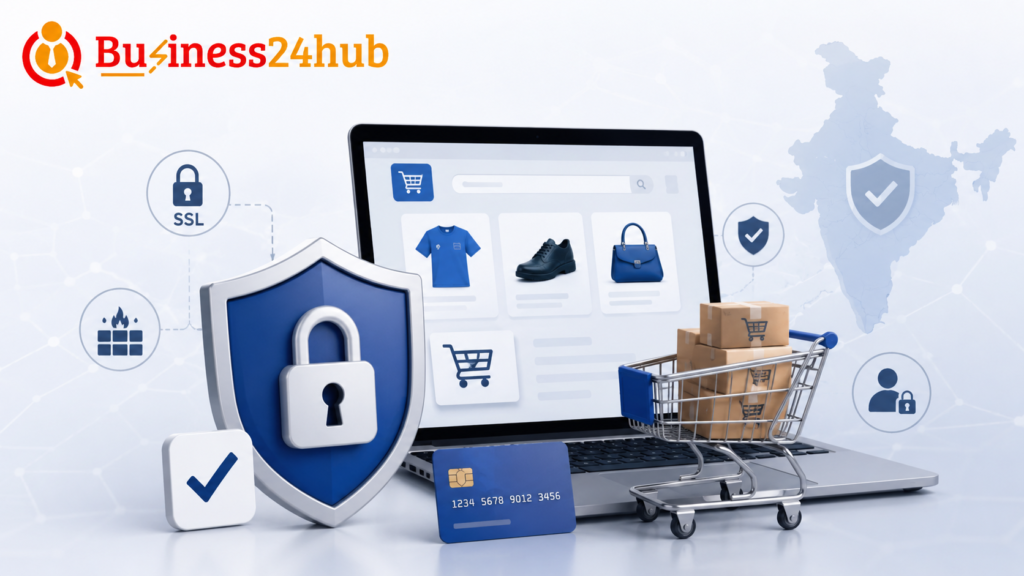
One of the most basic yet critical steps is ensuring your entire website runs on HTTPS, not just the checkout page. An SSL (Secure Sockets Layer) certificate encrypts data transmitted between your server and the customer’s browser, preventing hackers from intercepting sensitive information like login credentials or payment details.
- Purchase and install a valid SSL certificate from a trusted Certificate Authority.
- Redirect all HTTP traffic to HTTPS automatically.
- Renew your SSL certificate before it expires to avoid browser warnings that scare away visitors.
- Use HSTS (HTTP Strict Transport Security) headers to force secure connections.
Search engines like Google also favor HTTPS websites in rankings, making this both a security and SEO necessity.
2. Implement Strong Password Policies
Weak passwords remain one of the leading causes of account breaches. Enforce strict password requirements for both customers and administrative users.
- Require a minimum of 10-12 characters, including uppercase, lowercase, numbers, and symbols.
- Implement account lockout after multiple failed login attempts.
- Encourage or require two-factor authentication (2FA) for admin and customer accounts.
- Never store passwords in plain text — always use strong hashing algorithms like bcrypt or Argon2.
3. Keep Software, Plugins, and Themes Updated
Outdated software is one of the easiest entry points for hackers. If you’re using platforms like WooCommerce, Magento, or PrestaShop, outdated plugins and themes often contain known vulnerabilities that attackers actively scan for.
- Regularly update your CMS core files, plugins, and themes.
- Remove unused or inactive plugins completely rather than just deactivating them.
- Subscribe to security bulletins from your platform provider to stay informed about critical patches.
- Test updates in a staging environment before deploying to your live site.
4. Choose PCI DSS Compliant Payment Gateways
If your website processes credit card transactions, you must comply with the Payment Card Industry Data Security Standard (PCI DSS). This is not optional — it’s a legal and contractual requirement for handling card payments.
- Use trusted payment processors like Stripe, PayPal, Razorpay, or Square that handle sensitive card data on their secure servers.
- Avoid storing full credit card numbers on your own servers unless absolutely necessary and fully compliant.
- Regularly review your PCI compliance status through official assessment tools.
- Tokenize payment information wherever possible to reduce risk exposure.
5. Install a Web Application Firewall (WAF)
A Web Application Firewall acts as a shield between your website and incoming traffic, filtering out malicious requests before they reach your server.
- WAFs can block SQL injection attempts, cross-site scripting (XSS), and other common attack patterns.
- Popular options include Cloudflare, Sucuri, and AWS WAF.
- Configure custom rules based on your specific traffic patterns and business needs.
- Monitor WAF logs regularly to identify emerging threats.
6. Regularly Back Up Your Website Data
Even with the best security measures, no system is completely immune to attacks or technical failures. Regular backups ensure you can recover quickly without significant data loss.
- Schedule automatic daily or weekly backups depending on your site’s activity level.
- Store backups in multiple secure locations, including offsite or cloud storage.
- Test your backup restoration process periodically to confirm it actually works.
- Keep at least three to four recent backup versions in case the most recent one is compromised.
7. Protect Against SQL Injection and XSS Attacks
SQL injection and cross-site scripting remain among the most common vulnerabilities exploited in e-commerce websites.
- Use parameterized queries and prepared statements in your database interactions.
- Sanitize and validate all user inputs, including search bars, contact forms, and review sections.
- Implement Content Security Policy (CSP) headers to restrict which scripts can run on your site.
- Conduct regular code reviews focused specifically on input handling.
8. Monitor for Malware and Suspicious Activity
Proactive monitoring allows you to catch threats before they escalate into major breaches.
- Use malware scanning tools like Sucuri SiteCheck, MalCare, or Wordfence for WordPress-based stores.
- Set up alerts for unusual login attempts, file changes, or traffic spikes.
- Review server logs regularly for signs of unauthorized access.
- Consider hiring a managed security service if your store handles high transaction volumes.
9. Secure Your Admin Panel and Backend Access
Your website’s backend is the control center, and it deserves extra layers of protection.
- Change default admin URLs (e.g., avoid using generic paths like /admin or /wp-admin without additional protection).
- Restrict admin access by IP address whenever feasible.
- Limit the number of users with administrative privileges.
- Log out inactive admin sessions automatically after a set period.
10. Use Secure Hosting Providers
Your hosting environment plays a foundational role in overall website security.
- Choose hosting providers that offer built-in security features like DDoS protection, malware scanning, and regular server patching.
- Opt for dedicated or isolated hosting environments if your budget allows, reducing risks from shared server vulnerabilities.
- Verify that your host offers reliable uptime and rapid incident response support.
11. Implement Fraud Detection and Prevention Tools
E-commerce fraud, including fake orders, stolen card usage, and account takeovers, can significantly impact your bottom line.
- Use fraud detection tools integrated with your payment gateway to flag suspicious transactions.
- Set up address verification systems (AVS) and CVV checks for card payments.
- Monitor for unusual order patterns, such as multiple high-value orders from a new account in a short time.
- Consider manual review processes for flagged transactions before shipping.
12. Educate Your Team on Security Best Practices
Human error remains one of the biggest security risks for any business. Even the most secure systems can be compromised through phishing emails or careless handling of credentials.
- Train employees to recognize phishing attempts and social engineering tactics.
- Establish clear protocols for handling customer data and payment information.
- Restrict data access based on job roles, following the principle of least privilege.
- Conduct periodic security awareness refreshers.
13. Create a Clear Privacy Policy and Data Protection Framework
Transparency builds trust, and legal compliance protects your business from penalties.
- Clearly outline how customer data is collected, stored, and used in your privacy policy.
- Ensure compliance with applicable data protection regulations relevant to your target markets.
- Provide customers with options to manage their data preferences, including opt-outs where required.
- Regularly audit your data handling practices against current legal standards.
14. Test Your Website Security Regularly
Security is not a one-time setup — it requires ongoing evaluation and improvement.
- Conduct periodic penetration testing to identify vulnerabilities before attackers do.
- Use vulnerability scanning tools to catch outdated software or misconfigurations.
- Perform regular security audits, especially after major website updates or redesigns.
- Stay informed about emerging threats specific to your e-commerce platform.
How Security Impacts Your SEO Rankings
Many store owners overlook the direct connection between website security and search engine performance. Google prioritizes safe browsing experiences for users, which means:
- Websites without HTTPS are flagged as “Not Secure” in browsers, discouraging visitors and increasing bounce rates.
- Malware-infected sites can be blacklisted entirely from search results, sometimes taking weeks to recover reputation even after cleanup.
- Slow-loading, insecure sites tend to have higher bounce rates, which negatively affects rankings.
- A secure, trustworthy site encourages longer visit durations and more conversions, both of which are positive ranking signals.
Investing in security is, therefore, also an investment in your long-term organic traffic and visibility.
Common Mistakes E-Commerce Owners Make
Understanding common pitfalls can help you avoid them proactively:
- Relying solely on their hosting provider’s default security settings without additional configuration.
- Ignoring software updates due to fear of breaking existing customizations.
- Using the same password across multiple platforms and accounts.
- Failing to have a clear incident response plan in case of a breach.
- Overlooking mobile app security if they offer a companion shopping app alongside their website.
Building a Long-Term Security Culture
Security should not be treated as a checklist you complete once and forget. It requires an ongoing commitment woven into your business operations.
- Assign clear responsibility for security oversight within your team, even if it’s a part-time role initially.
- Stay updated with industry news regarding new vulnerabilities and attack methods.
- Engage with cybersecurity communities and forums relevant to your platform.
- Consider periodic third-party security audits as your business scales.
FAQ’s
1. Why is an E-Commerce Website Security Checklist important?
An E-Commerce Website Security Checklist helps businesses protect customer data, prevent cyberattacks, secure online transactions, maintain website uptime, and build customer trust. It also helps ensure compliance with security best practices.
2. What should be included in an E-Commerce Website Security Checklist?
An E-Commerce Website Security Checklist should include SSL/TLS encryption, secure payment gateway integration, strong password policies, two-factor authentication (2FA), regular software updates, malware scanning, website backups, firewall protection, and access control measures.
3. How often should an E-Commerce Website Security Checklist be reviewed?
An E-Commerce Website Security Checklist should be reviewed regularly, especially after major website updates, plugin installations, or changes to the hosting environment. Periodic security audits help identify and fix vulnerabilities before they can be exploited.
4. Does SSL certification improve website security?
Yes. SSL/TLS encryption is an essential part of an E-Commerce Website Security Checklist because it encrypts data transmitted between users and the website, helping protect sensitive information such as login credentials and payment details.
5. Why are regular backups important for e-commerce websites?
Regular backups are a critical component of an E-Commerce Website Security Checklist. They allow businesses to restore their website quickly in the event of hacking, malware attacks, accidental data loss, or server failures.
6. Can security plugins help protect an e-commerce website?
Yes. Security plugins can strengthen an E-Commerce Website Security Checklist by providing features such as malware scanning, firewall protection, login security, brute-force attack prevention, file integrity monitoring, and real-time threat detection.
7. How can businesses improve their E-Commerce Website Security Checklist?
Businesses can strengthen their E-Commerce Website Security Checklist by using secure hosting, keeping software and plugins updated, implementing strong authentication, monitoring website activity, performing regular vulnerability assessments, training employees on cybersecurity, and conducting periodic security audits.
Conclusion
Securing an e-commerce website is not a one-time task but an ongoing responsibility that directly affects your business’s survival, reputation, and growth. From SSL certificates and strong password policies to fraud detection and regular backups, each element of this checklist plays a vital role in creating a safe shopping environment for your customers.
As cyber threats continue to evolve, staying proactive rather than reactive is the key to long-term success. By implementing the practices outlined in this guide, you not only protect your business from financial and legal risks but also build the kind of trust that turns first-time visitors into loyal, repeat customers.
Start by auditing your current security measures against this checklist today, and prioritize the areas where your store is most vulnerable. A secure e-commerce website isn’t just good practice — it’s the foundation of sustainable online business growth.
Contact our Experts For Website Develpoment
🟡Business24Hub provides complete IT, web development, software development, digital marketing, branding, SEO, mobile app development, and business consulting services to startups, entrepreneurs, SMEs, and enterprises across India.
🟡For other Legal and Trademark related services Visit
👉 Money Recovery Cases
👉 Property Disputes
👉 Business & Licence Registrations
🟡 Protect Your Rights
👉 Domestic Violence Legal Support
👉 Stridhan Recovery
👉 Mutual Consent Divorce
👉 Contested Divorce Filing
👉 Child Custody and Maintenance
👉 Matrimonial Property Settlement
👉 NRI Divorce Services
👉 Alimony and Maintenance
📞 Call Now: +91 8595439395
🕐 Free Consultation: Monday to Saturday, 10 AM to 6 PM

I’m Aryan Yadav, passionate about SEO and Digital Marketing with a strong interest in helping businesses grow online. I enjoy learning new strategies, exploring digital trends, and creating ideas that deliver value. I believe in continuous growth, creativity, and building meaningful results through smart work and dedication.

